Why Your Wallet Matters More Than Your Portfolio
In the crypto world, people obsess over what to buy. But Scripture teaches us that how we protect what we've been given matters just as much — maybe more.
Luke 12:48 — "From everyone who has been given much, much will be demanded; and from the one who has been entrusted with much, much more will be asked."
A hardware wallet is the most effective tool for protecting cryptocurrency. And understanding why starts with understanding a simple truth: if you don't hold your keys, you don't own your crypto.
What Is a Hardware Wallet?
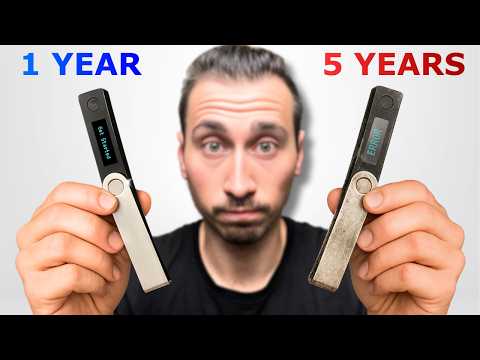
A hardware wallet is a small physical device — similar in size to a USB drive — that stores your cryptocurrency's private keys completely offline. Unlike software wallets or exchange accounts, your keys never touch the internet, which means hackers can't reach them remotely.
Think of it this way:
- Exchange account = keeping cash in someone else's safe. Convenient, but you're trusting them completely.
- Software wallet = keeping cash in a lockbox at home. Better, but still vulnerable if someone breaks in.
- Hardware wallet = keeping cash in a personal vault with a combination only you know. The gold standard.
The Biblical Parallel
In Matthew 25:14-30 (the Parable of the Talents), the master entrusted servants with his property. The faithful servants didn't just invest wisely — they protected what was given to them. The negligent servant buried his talent out of fear rather than stewarding it properly.
A hardware wallet isn't burying your crypto out of fear. It's actively securing it with wisdom and intentionality — the kind of stewardship God honors.
Why "Not Your Keys, Not Your Crypto" Matters
When you keep cryptocurrency on an exchange like Coinbase or Binance, the exchange holds your private keys. This means:
- If the exchange gets hacked, your funds are at risk
- If the exchange freezes your account, you lose access
- If the exchange goes bankrupt (remember FTX?), your crypto may be gone forever
Proverbs 27:12 warns: "The prudent see danger and take refuge, but the simple keep going and pay the penalty."
Moving your crypto to a hardware wallet is taking refuge. It's the prudent, wise thing to do.
Recommended Hardware Wallets
At Kingdom Builders, we personally use and recommend two devices:
Ledger
- Industry-leading security with a certified Secure Element chip
- Multiple models available to fit your needs and budget
- Supports thousands of cryptocurrencies
- Bluetooth connectivity on select models for mobile management
- Well-established track record since 2014
- Purchase only from the official site: ledger.com
Tangem
- Credit-card-sized NFC wallet — tap your phone to sign transactions
- No battery required; extremely durable
- Backup cards provide redundancy without a seed phrase
- Ideal for beginners who want simplicity
- Get a Tangem Wallet at a discount → (this affiliate link supports Kingdom Builders at no extra cost to you)
Important: Always purchase hardware wallets directly from the manufacturer's official website. Never buy from third-party sellers on Amazon, eBay, or elsewhere — devices may have been tampered with.
Setting Up Your Hardware Wallet: Step by Step
1. Unbox and Verify
Ensure the device is sealed and hasn't been opened. Both Ledger and Tangem include tamper-evident packaging. If anything looks suspicious, contact the manufacturer.
2. Initialize the Device
Follow the manufacturer's setup instructions. The device will generate a recovery phrase (also called a seed phrase) — typically 12 or 24 words.
3. Secure Your Recovery Phrase
This is the most critical step. Your recovery phrase is the master key to all your crypto. If you lose it and your device is damaged, your assets are gone forever.
Best practices for recovery phrase storage:
- Write it on paper and store in a fireproof safe
- Consider a metal backup device (Cryptosteel, Billfodl, or Blockplate) for fire and water resistance
- Use an encrypted password manager like Bitwarden as a secondary backup
- Never store it digitally in plain text (no photos, no notes apps, no cloud storage)
- Never share it with anyone — not even family members who might accidentally expose it
4. Transfer a Small Test Amount
Before moving your full portfolio, send a small amount to your hardware wallet address. Verify it arrives. Then send the rest.
5. Verify Your Backup
Practice recovering your wallet using the recovery phrase on a separate device (or after a factory reset). This confirms your backup works before you actually need it.
Common Mistakes to Avoid
Buying from Unauthorized Sellers
Scammers sell pre-configured devices with recovery phrases they already know. Only buy from ledger.com or tangem.com.
Responding to Fake Support Messages
Ledger and Tangem will never ask for your recovery phrase via email, text, or phone. Recent scams have included physical letters claiming to be from Ledger — these are fraudulent. Always verify communications through the manufacturer's official website only.
Neglecting Firmware Updates
Hardware wallet manufacturers release security updates. Keep your device's firmware current, but only download updates through the official companion app.
Storing Recovery Phrase Digitally
A photo of your seed phrase in your camera roll is as vulnerable as writing your bank PIN on a sticky note. Keep it analog and secure.
The Stewardship Mindset
Protecting your crypto with a hardware wallet isn't paranoia — it's obedience to the stewardship principle that runs throughout Scripture.
1 Timothy 6:20 — "Guard what has been entrusted to your care."
Whether God has entrusted you with $100 or $100,000 in digital assets, the principle is the same: protect it wisely, manage it faithfully, and don't be the servant who lost what was given through negligence.
A Prayer for Wisdom
Lord, thank You for the resources and opportunities You've placed in my hands. Give me wisdom to protect what You've entrusted to me — not out of fear, but out of faithful stewardship. Help me be diligent, discerning, and generous with what I've been given. In Jesus' name, Amen.
Ready to secure your crypto the right way? Kingdom Builders walks you through the entire hardware wallet setup process step by step — no technical background required.